
Testing on your iPhone
Expo Go gives you a native preview on your device, including camera, location, notifications, and other device features.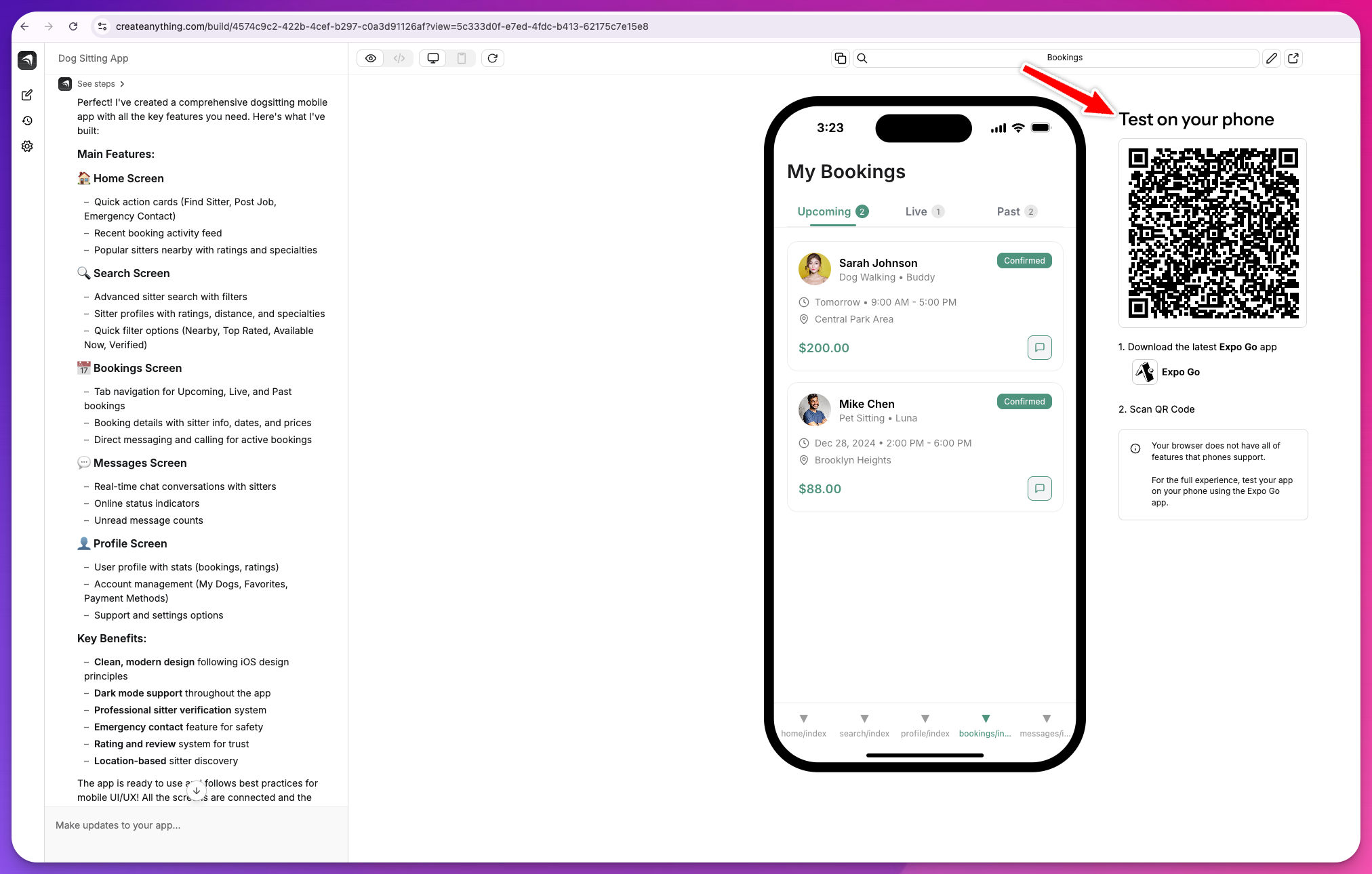
Connect your Expo account
Expo Go requires the same Expo account in the builder and on your phone. You set this up once per project — your browser preview is unaffected.1
Create an Expo account
Go to expo.dev/signup and create a free account. Use your personal account, not a robot or CI account — this needs to be the same account you sign in to on your phone.
2
Install Expo Go on your iPhone
Download Expo Go from the App Store. Open it and sign in with the account you just created.
3
Generate an access token
In a browser, go to expo.dev/settings/access-tokens. Click Create Token, give it a name (anything works), and copy the token. This is the only time it’s shown, so copy it before closing the dialog.
4
Paste the token in the builder
Open your project in Anything. In the Connect Expo Go panel next to the mobile preview, paste your token into the Expo access token field and click Connect Expo. The token stays out of your app’s source files.
5
Scan the QR code
A QR code appears in the mobile preview area. Open your iPhone camera and scan it. Your app opens in Expo Go.
How to load your app
- Scan the QR code in the mobile preview area with your iPhone camera.
- The app opens in Expo Go. Changes you make in the builder update automatically.
- Test camera, location, notifications, and other device features on your phone.
Device features like camera, location, and barcode scanning won’t work in the web preview. Always test on your iPhone using Expo Go for full functionality.
Capturing logs from a TestFlight build
When a bug only reproduces in TestFlight, the answer is in your device’s logs. The recommended path is Apple’s Console app on a Mac, and there are good no-Mac options too. See Capture TestFlight logs.App compliance check
Run the compliance check before submitting to the App Store to make sure your app meets Apple’s guidelines.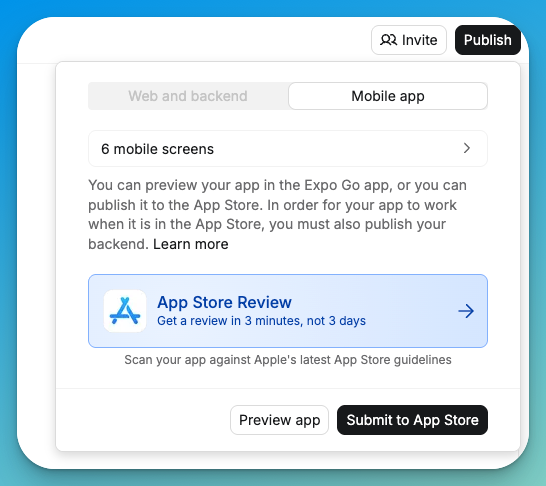
- Click Publish in your mobile project.
- Select App Store Review from the publication options.
The compliance check analyzes your app against Apple’s App Store guidelines and flags issues to fix before submission.